Yvonne H.
Flex
★★★★★
"I enjoyed the course, it was clear and practical. Overall, the course was very informative and valuable."

Clear the enquiries, rebuild the schedule, and write the difficult reply before the next call comes in.

Employees at top companies are mastering AI skills with the Workplace AI Institute








Reception is the only job in the building where three people can need you at the same moment and all three think they were first. The calls, the walk-ins, the couriers, the bookings, the room clashes, the enquiry inbox nobody else looks at. Every one of those interruptions leaves a piece of writing behind, and the writing is what you catch up on after five.
AI is very good at exactly that leftover pile. It drafts the enquiry reply, turns your scribbled phone message into something the sales team can act on, rewrites the twelve cancellation emails when a clinic runs late, and produces the run sheet for Thursday's board lunch. This course shows you how to do all of it with wording you would be happy to send under your own name, with no technical background needed.
If you're not happy, we're not happy, so all of our courses are covered by a rock-solid 30-day money-back guarantee.
After the final unit you take a short online exam, around 15 to 20 questions, drawn straight from the course material. Pass it and you receive a Certificate of Completion in AI for Receptionists from the Workplace AI Institute.
In the gaps you already have. The course is built around the two-minute windows between calls, not around a quiet afternoon you never get. Every prompt in it is designed to be pasted, run, and skimmed while the phone is still on the hook.
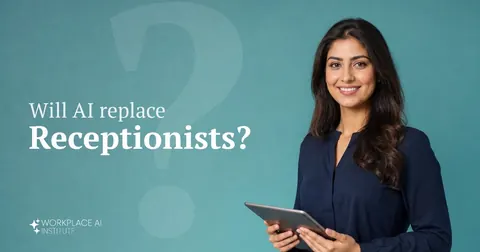
The parts of reception that software can take, it mostly took already, with phone trees, online booking, and website chat. What is left is the judgment work, and the receptionists who can also produce the writing that used to eat their evenings are the ones getting handed office coordination rather than a redundancy conversation. Unit 4 is specifically about making that case with evidence.
ChatGPT, Claude, or Gemini on a free tier runs every exercise in the course. The techniques transfer between them, so receptionists can use whichever tool the workplace already allows.
Unit 1 covers this before it teaches anything else, because nearly half of all receptionists work in healthcare and social assistance. You get a traffic-light rule for sorting what can be pasted, a method for stripping identifying detail while keeping the prompt useful, and a pre-flight check to run before you send anything sensitive.
Two to four weeks is typical at a few hours per week. Receptionists who already use AI casually tend to move faster, and either way the course is self-paced with lifetime access, so a busy fortnight on the desk costs you nothing.
Yes. The course finishes with a short multiple-choice exam drawn from the material, and passing it earns a Certificate of Completion naming AI for Receptionists specifically, digital and shareable on LinkedIn.
Your certificate has a unique verification ID printed on it. Anyone can enter that ID on our Certificate Verification page to confirm your name, the AI for Receptionists course, the date you passed, and that you met the exam pass mark. If they prefer, they can also contact us for manual confirmation.
This course is for receptionists and front-desk staff in any setting, including medical and dental practices, law firms, salons and clinics, schools, gyms, hotels, and corporate lobbies. It suits anyone who answers the phone, greets visitors, and keeps the bookings straight, whether you have never opened an AI tool or you have tried ChatGPT once and want to get real work out of it.
Expect approximately 25 hours of reading in AI for Receptionists, along with interactive quizzes and practical exercises based on real front-desk situations. Most students finish in two to four weeks, though you can work through the material at whatever pace your desk allows.
Our research-backed look at which parts of the job AI is taking over, what it cannot do, and what to do about it.
Read the analysis →Every course is covered by a 30-day money-back guarantee. If you join us and discover that it wasn't right for you after all, email us and we'll refund the cost within one working day. Guaranteed.
🛡️ 30-Day Money-Back Guarantee · Lifetime Access · Certificate Included
Type any job title or abbreviation. We'll match it.